Before → After
Product Photos
Replace plain backgrounds, improve lighting, and create campaign-ready product scenes from an existing photo.
Start with your photo and tell the image to image AI editor what to change. Replace a product backdrop, remove a distracting object, or explore a new style while naming the details you want to keep. Sign in to receive three free credits for your first edits.
Image
0/5Preview
Your transformation appears here
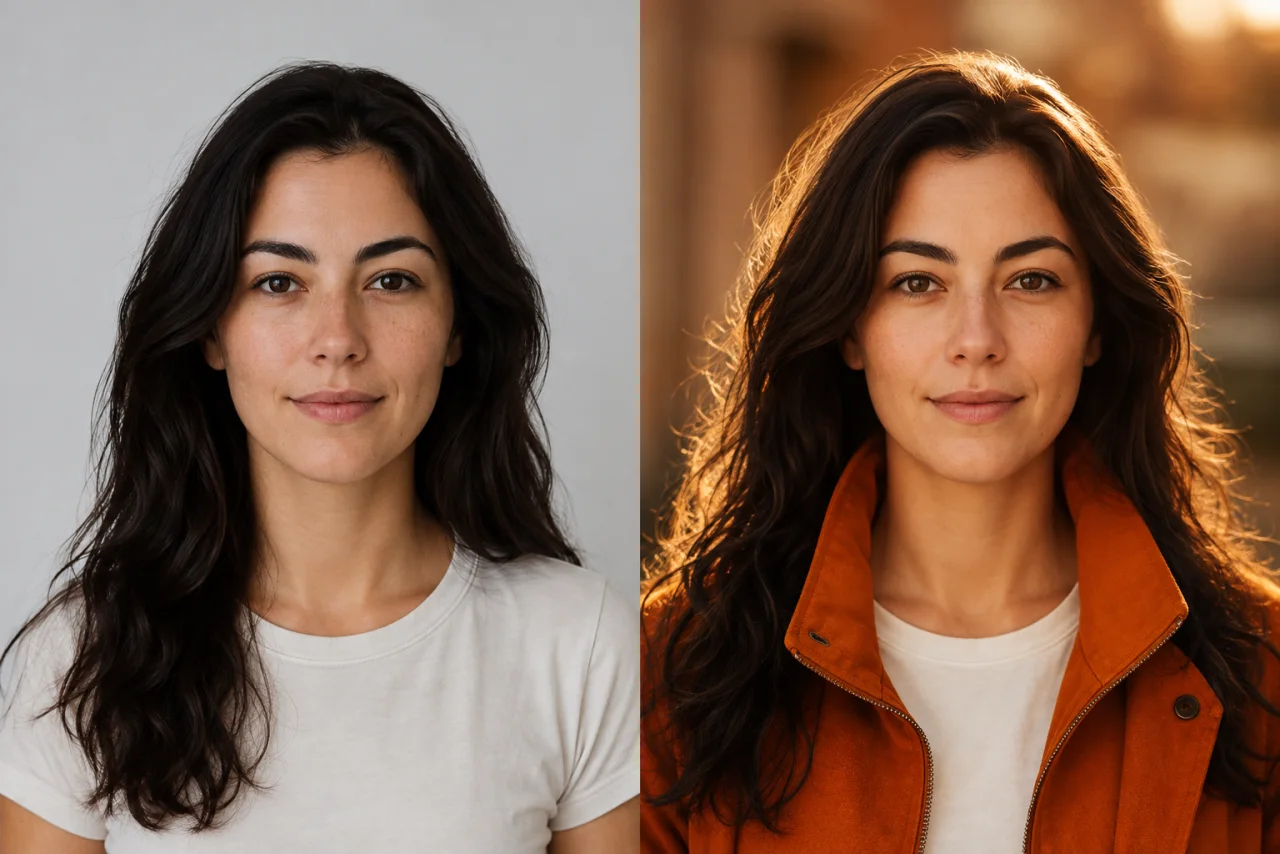
Prompt: Add warm cinematic lighting and an orange jacket
Before → After
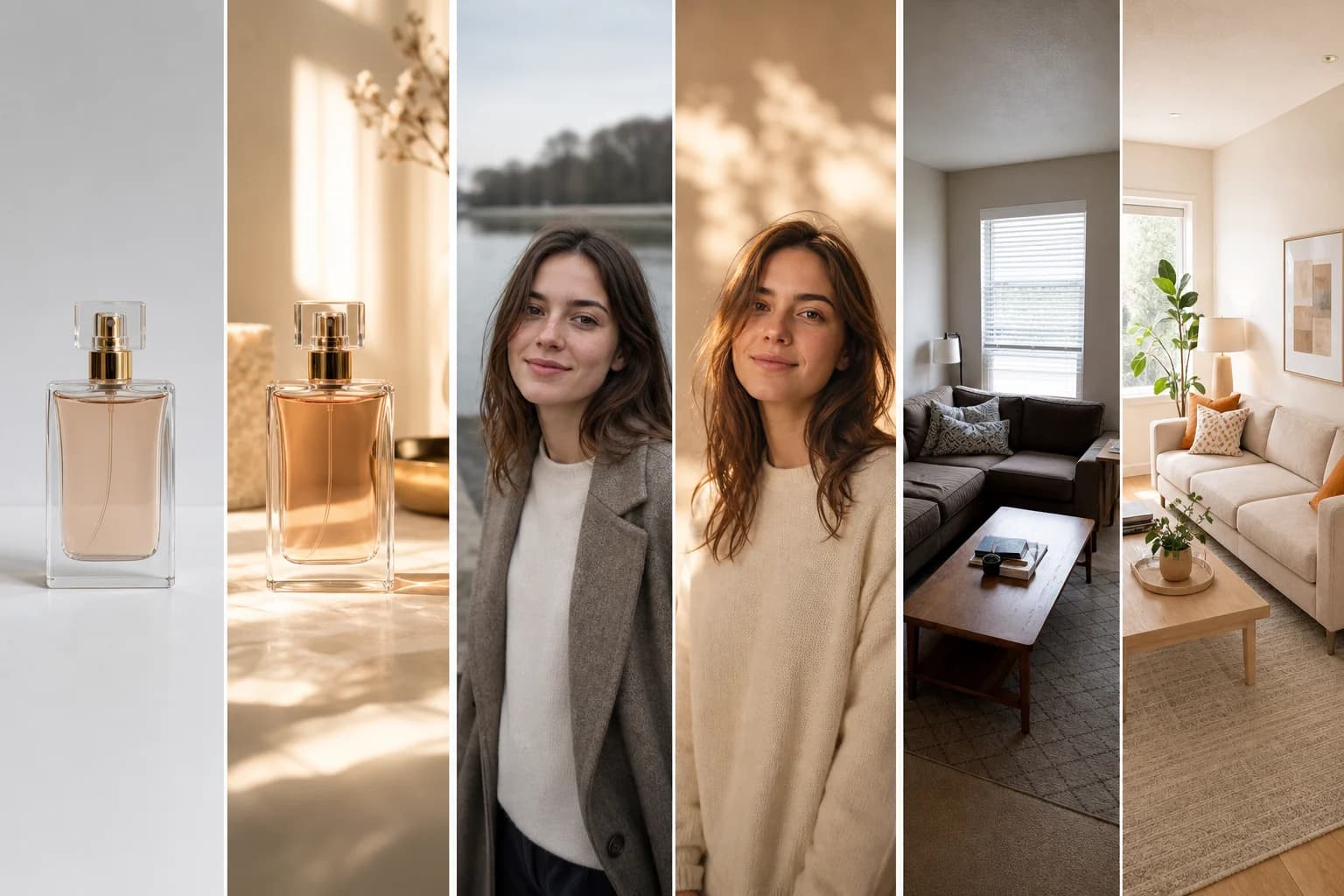
One reference image can become a new product campaign, portrait treatment, or interior concept while preserving the visual details that matter.
Before → After
Replace plain backgrounds, improve lighting, and create campaign-ready product scenes from an existing photo.
Before → After
Change the setting, mood, styling, or color grade while keeping the person and important facial details recognizable.
Before → After
Explore materials, furniture, lighting, and design directions while preserving the original room layout.
Before → After
Create thumbnail concepts, campaign variations, and platform-ready visuals from the photos you already have.
Before → After
Build new ad concepts, seasonal scenes, and branded visual directions without starting every asset from a blank canvas.
Before → After
Develop illustrations, character concepts, and style explorations from sketches, photos, or previous AI-generated images.
AI editing features
This image to image generator starts from your references, so you can work on a specific photo rather than describe a scene from scratch. Set the ratio, resolution, and number of results, then compare how each model interprets your edit.
Describe what to add, remove, replace, or restyle. The AI image editor applies the instruction while using your upload as the visual reference.
Upload up to five JPG, PNG, or WebP files to guide a composition, preserve a subject, or combine visual ideas in one edit.
Switch between seven image models for fast iterations, detailed edits, stronger instruction following, or a specific visual finish.
Tell the AI image editor which object should disappear or what should replace it, without rebuilding the entire composition by hand.
Move a subject into a new setting, clean up a product backdrop, or change the lighting mood while keeping the main image recognizable.
Turn photos into illustrations, campaign concepts, or new visual styles while preserving the subject, layout, and details you want to keep.
Seven AI models
Switch models without changing tools. Start with speed and low credit use, or choose more detail, resolution, and instruction control when the edit requires it.
A fast, low-credit choice for everyday generation and editing.
Choose it for stronger consistency, more detail, and output up to 4K.
Built for high-fidelity edits, accurate text, and polished 4K output.
Excels at precise instructions, visible text, and output up to 4K.
Designed for polished, photorealistic images with crisp visual detail.
A strong creative option for high-quality generation and flexible edits.
Fast, affordable generation and editing for everyday creative work.
Upload one or more reference images.
Choose the AI model for your edit.
Describe exactly what should change and what should stay.
Generate, review, and download the finished result.
Testimonials
Your upload gives the model a visual starting point for the subject, composition, and colors. The prompt describes what to change. This image to image AI editor generates a new version rather than making a guaranteed pixel-perfect adjustment to the original.
Create an account to receive three registration credits, then choose an edit whose displayed cost fits that balance. Request one output with a low-credit model to try the workflow. Further edits use the remaining balance or a purchased credit pack.
Use a clear product photo and name both the change and the details to preserve. For example: "Place this bottle on a pale stone counter. Keep its shape, label, cap, and camera angle unchanged." Inspect the result for changes to logos, reflections, and edges before using it.
Upload up to five JPG, JPEG, PNG, or WebP files, each no larger than 6MB. Explain the purpose of each image in your prompt, such as using the first for the subject and the second for the setting. Avoid references that give conflicting directions about the same detail.
Use two to four outputs when you want alternative interpretations of the same instruction. Choose a higher resolution, where the selected model supports it, when you need a larger final image. Both choices affect the total credit cost shown before generation; higher resolution does not guarantee a more accurate edit.
Generative models can redraw details even when the prompt asks to preserve them. Ask for one focused change, use a sharp reference, and compare another model if details drift. Check faces, brand marks, spelling, and small product features manually before publishing a result.
For a transparent cutout, use the dedicated Remove Background tool on this site. Use the image to image editor when you want to replace the scene, adjust the lighting, or restyle the subject. A prompt asking for a white background does not necessarily produce a transparent image.
Keep your original file and download promising results as separate versions. Upload the chosen version for another focused instruction, then compare it against the original for unwanted changes. Each pass is a new generation with its own displayed credit cost, and repeated edits can accumulate visual drift.
Start with three free credits and one focused edit. Upload your reference, choose from seven AI models, and check the displayed cost before generating. Additional edits require sufficient credits.
Start Editing for Free